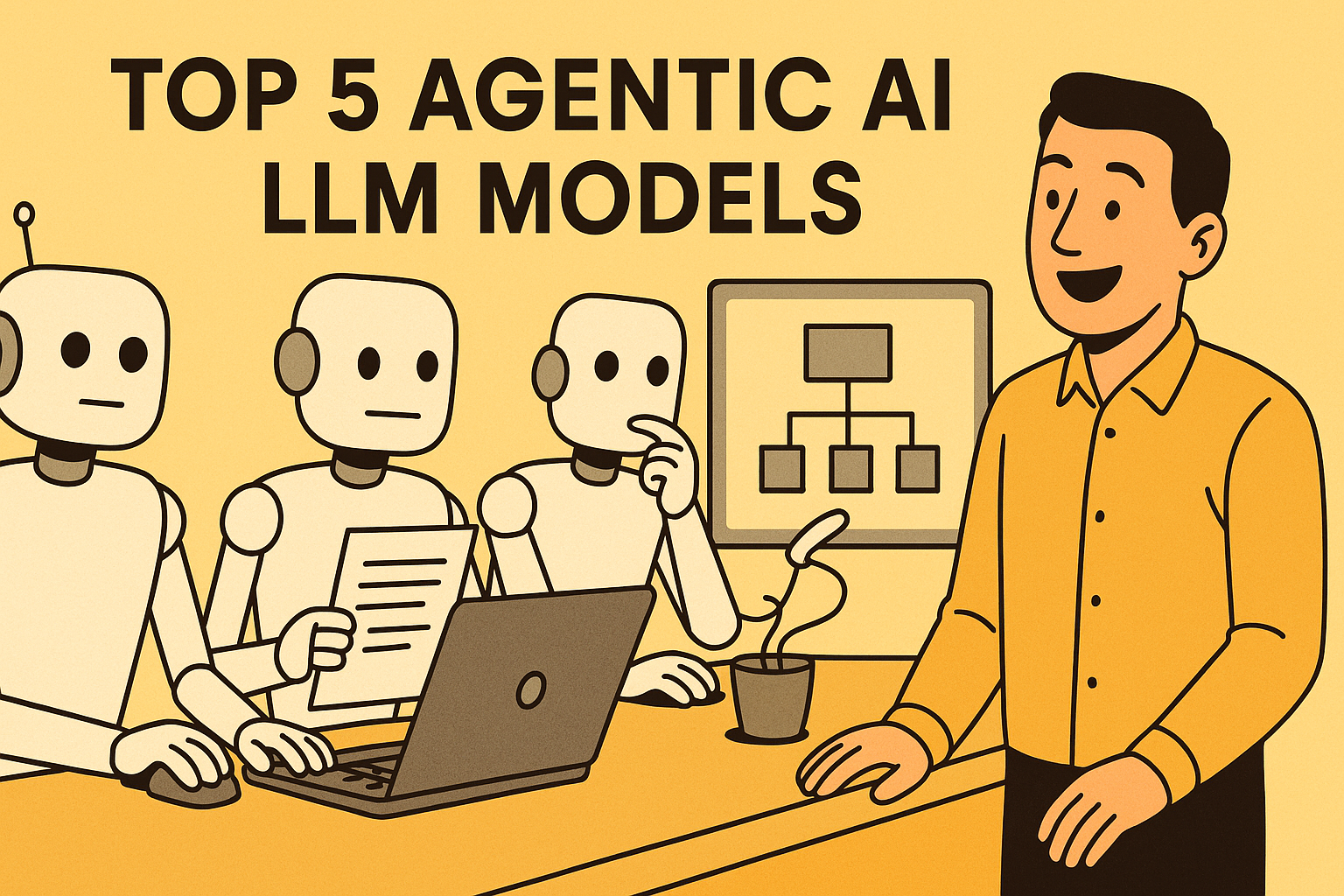
In 2025, “using AI” no longer just means chatting with a model, and you’ve probably already noticed that shift yourself. We’ve officially entered the agentic AI era, where LLMs don’t just answer questions for you: they reason with you, plan for you, take actions, use tools, call APIs, browse the web, schedule tasks, and operate as fully autonomous assistants. If 2023–24 belonged to the “chatbot,” then 2025 belongs to the agent. So let me walk you through the models that work best when you’re actually building AI agents.
1. OpenAI o1/o1-mini
When you’re working on deep-reasoning agents, you’ll feel the difference immediately with OpenAI’s o1/o1-mini. These models stay among the strongest for step-wise thinking, mathematical reasoning, careful planning, and multi-step tool use. According to the Agent Leaderboard, o1 ranks near the top for decomposition stability, API reliability, and action accuracy, and you’ll see this reflected in any structured workflow you run. Yes, it’s slower and more expensive, and sometimes it overthinks simple tasks, but if your agent needs accuracy and thoughtful reasoning, o1’s benchmark results easily justify the cost. You can explore more through the OpenAI documentation.
2. Google Gemini 2.0 Flash Thinking
If you want speed, Gemini 2.0 Flash Thinking is where you’ll notice a real difference. It dominates real-time use cases because it blends fast reasoning with strong multimodality. On the StackBench leaderboard, Gemini Flash regularly appears near the top for multimodal performance and rapid tool execution. If your agent switches between text, images, video, and audio, this model handles it smoothly. It’s not as strong as o1 for deep technical reasoning, and long tasks sometimes show accuracy dips, but when you need responsiveness and interactivity, Gemini Flash is one of the best options you can pick. You can check the Gemini documentation at ai.google.dev.
3. Kimi’s K2 (Open-Source)
K2 is the open-source surprise of 2025, and you’ll see why the moment you run agentic tasks on it. The Agent Leaderboard v2 shows K2 as the highest-scoring open-source model for Action Completion and Tool Selection Quality. It’s extremely strong in long-context reasoning and is quickly becoming a top alternative to Llama for self-hosted and research agents. Its only drawbacks are the high memory requirements and the fact that its ecosystem is still growing, but its leaderboard performance makes it clear that K2 is one of the most important open-source entrants this year.
4. DeepSeek V3/R1 (Open-Source)
DeepSeek models have become popular among developers who want strong reasoning at a fraction of the cost. On the StackBench LLM Leaderboard, DeepSeek V3 and R1 score competitively with high-end proprietary models in structured reasoning tasks. If you plan to deploy large agent fleets or long-context workflows, you’ll appreciate how cost-efficient they are. But keep in mind that their safety filters are weaker, the ecosystem is still catching up, and reliability can drop in very complex reasoning chains. They’re perfect when scale and affordability matter more than absolute precision. DeepSeek’s documentation is available at api-docs.deepseek.com.
5. Meta Llama 3.1/3.2 (Open-Source)
If you’re building agents locally or privately, you’ve probably already come across Llama 3.1 and 3.2. These models remain the backbone of the open-source agent world because they’re flexible, performant, and integrate beautifully with frameworks like LangChain, AutoGen, and OpenHands. On open-source leaderboards such as the Hugging Face Agent Arena, Llama consistently performs well on structured tasks and tool reliability. But you should know that it still trails models like o1 and Claude in mathematical reasoning and long-horizon planning. Since it’s self-hosted, your performance also depends heavily on the GPUs and fine-tunes you’re using. You can explore the official documentation at llama.meta.com/docs.
Wrapping Up
Agentic AI is no longer a futuristic concept. It’s here, it’s fast, and it’s transforming how we work. From personal assistants to enterprise automation to research copilots, these LLMs are the engines driving the new wave of intelligent agents.
Hi Kanwal
It was good to see your article. I am currently experimenting on Medical Ai model which is multimodel. I wanted advice on its scalability.
Thank you
I’m an American Agentic specialist. If you are in this field then why would you ask this question? Why havent you created a vector persona and then let AI answer the questions you have?
“””
auto_youtube_agent.py
Simple agent: creates a short video from text/images/audio and uploads to YouTube.
Requires: client_secrets.json from Google Cloud (OAuth 2.0 Desktop).
“””
import os
import json
import time
from pathlib import Path
from moviepy.editor import (
TextClip, ImageClip, AudioFileClip, concatenate_videoclips, CompositeVideoClip
)
from google_auth_oauthlib.flow import InstalledAppFlow
from googleapiclient.discovery import build
from googleapiclient.http import MediaFileUpload
from tqdm import tqdm
# ———- USER CONFIG ———-
OUTPUT_DIR = “output”
VIDEO_FILENAME = “final_video.mp4”
CLIENT_SECRETS_FILE = “client_secrets.json” # download from Google Cloud
CREDENTIALS_FILE = “token.json”
SCOPES = [“https://www.googleapis.com/auth/youtube.upload”]
# YouTube metadata defaults
DEFAULT_TITLE = “Auto Generated Video by AI Agent”
DEFAULT_DESCRIPTION = “This video was automatically generated and uploaded via an agent.”
DEFAULT_TAGS = [“auto”, “ai”, “generated”]
PRIVACY_STATUS = “private” # public / unlisted / private
# ———————————-
os.makedirs(OUTPUT_DIR, exist_ok=True)
def create_slide_from_text(text, duration=DURATION_PER_SLIDE, size=VIDEO_RESOLUTION, fontsize=50):
“””Create a video clip with centered text.”””
txt_clip = TextClip(
txt=text,
fontsize=fontsize,
color=”white”,
size=size,
method=”caption”, # wraps text
align=”center”
).set_duration(duration)
# optionally add simple background: semi-transparent black
bg = ImageClip(make_solid_color(size=size, color=(0, 0, 0))).set_duration(duration)
comp = CompositeVideoClip([bg, txt_clip.set_pos(“center”)]).set_duration(duration)
comp = comp.set_fps(FPS)
return comp
def make_solid_color(size=(1280, 720), color=(0, 0, 0)):
“””Return a PIL-like image created via MoviePy helper (temporary)”””
# moviepy accepts a generator function or ImageClip; simplest is to create an ImageClip from a color array
import numpy as np
arr = np.zeros((size[1], size[0], 3), dtype=’uint8′)
arr[:] = color
return arr
def create_video_from_texts(text_list, music_path=None, output_path=None):
“””Creates a video from list of text scenes and optional background music.”””
clips = []
for text in text_list:
clip = create_slide_from_text(text, duration=DURATION_PER_SLIDE)
clips.append(clip)
final = concatenate_videoclips(clips, method=”compose”)
if music_path and os.path.exists(music_path):
audio = AudioFileClip(music_path)
# loop or cut audio to video length
audio = audio.set_duration(final.duration).audio_fadeout(1)
final = final.set_audio(audio)
out = output_path or os.path.join(OUTPUT_DIR, VIDEO_FILENAME)
final.write_videofile(out, fps=FPS, codec=”libx264″, audio_codec=”aac”, threads=4, logger=None)
# close clips to release resources
final.close()
for c in clips:
try:
c.close()
except Exception:
pass
return out
def get_authenticated_service():
“””Authenticate via OAuth 2.0 and return YouTube service build.”””
creds = None
if os.path.exists(CREDENTIALS_FILE):
from google.oauth2.credentials import Credentials
creds = Credentials.from_authorized_user_file(CREDENTIALS_FILE, SCOPES)
if not creds or not creds.valid:
if creds and creds.expired and creds.refresh_token:
try:
creds.refresh(Request())
except Exception:
creds = None
if not creds:
flow = InstalledAppFlow.from_client_secrets_file(CLIENT_SECRETS_FILE, SCOPES)
creds = flow.run_local_server(port=0)
# save for next runs
with open(CREDENTIALS_FILE, “w”) as f:
f.write(creds.to_json())
def main_auto_agent(text_scenes, music=None,
title=DEFAULT_TITLE, description=DEFAULT_DESCRIPTION,
tags=DEFAULT_TAGS, privacy=PRIVACY_STATUS):
“””
Full pipeline:
– create video from text_scenes (list)
– upload to YouTube
“””
print(“1) Creating video from scenes…”)
video_path = create_video_from_texts(text_scenes, music_path=music)
print(f”Video created at: {video_path}”)
print(“2) Authenticating with YouTube…”)
youtube = get_authenticated_service()
if __name__ == “__main__”:
# —– example usage —–
scenes = [
“नमस्ते! यह एक ऑटो जनरेटेड वीडियो है।”,
“यहां हम AI agent की मदद से वीडियो बनाते हैं।”,
“अंत में, यह वीडियो सीधे YouTube पर अपलोड हो जाएगा।”
]
# music file (optional). अगर नहीं है, None रखिये
music_file = None # “background.mp3″
main_auto_agent(
text_scenes=scenes,
music=music_file,
title=”Demo: AI Auto Upload”,
description=”Auto uploaded by script”,
tags=[“demo”, “auto”, “ai”],
privacy=”unlisted”
)



Hi Kanwal
It was good to see your article. I am currently experimenting on Medical Ai model which is multimodel. I wanted advice on its scalability.
Thank you
I’m an American Agentic specialist. If you are in this field then why would you ask this question? Why havent you created a vector persona and then let AI answer the questions you have?
Iam basic knowledge please
“””
auto_youtube_agent.py
Simple agent: creates a short video from text/images/audio and uploads to YouTube.
Requires: client_secrets.json from Google Cloud (OAuth 2.0 Desktop).
“””
import os
import json
import time
from pathlib import Path
from moviepy.editor import (
TextClip, ImageClip, AudioFileClip, concatenate_videoclips, CompositeVideoClip
)
from google_auth_oauthlib.flow import InstalledAppFlow
from googleapiclient.discovery import build
from googleapiclient.http import MediaFileUpload
from tqdm import tqdm
# ———- USER CONFIG ———-
OUTPUT_DIR = “output”
VIDEO_FILENAME = “final_video.mp4”
CLIENT_SECRETS_FILE = “client_secrets.json” # download from Google Cloud
CREDENTIALS_FILE = “token.json”
SCOPES = [“https://www.googleapis.com/auth/youtube.upload”]
# Video settings
VIDEO_RESOLUTION = (1280, 720)
FPS = 24
DURATION_PER_SLIDE = 5 # seconds
# YouTube metadata defaults
DEFAULT_TITLE = “Auto Generated Video by AI Agent”
DEFAULT_DESCRIPTION = “This video was automatically generated and uploaded via an agent.”
DEFAULT_TAGS = [“auto”, “ai”, “generated”]
PRIVACY_STATUS = “private” # public / unlisted / private
# ———————————-
os.makedirs(OUTPUT_DIR, exist_ok=True)
def create_slide_from_text(text, duration=DURATION_PER_SLIDE, size=VIDEO_RESOLUTION, fontsize=50):
“””Create a video clip with centered text.”””
txt_clip = TextClip(
txt=text,
fontsize=fontsize,
color=”white”,
size=size,
method=”caption”, # wraps text
align=”center”
).set_duration(duration)
# optionally add simple background: semi-transparent black
bg = ImageClip(make_solid_color(size=size, color=(0, 0, 0))).set_duration(duration)
comp = CompositeVideoClip([bg, txt_clip.set_pos(“center”)]).set_duration(duration)
comp = comp.set_fps(FPS)
return comp
def make_solid_color(size=(1280, 720), color=(0, 0, 0)):
“””Return a PIL-like image created via MoviePy helper (temporary)”””
# moviepy accepts a generator function or ImageClip; simplest is to create an ImageClip from a color array
import numpy as np
arr = np.zeros((size[1], size[0], 3), dtype=’uint8′)
arr[:] = color
return arr
def create_video_from_texts(text_list, music_path=None, output_path=None):
“””Creates a video from list of text scenes and optional background music.”””
clips = []
for text in text_list:
clip = create_slide_from_text(text, duration=DURATION_PER_SLIDE)
clips.append(clip)
final = concatenate_videoclips(clips, method=”compose”)
if music_path and os.path.exists(music_path):
audio = AudioFileClip(music_path)
# loop or cut audio to video length
audio = audio.set_duration(final.duration).audio_fadeout(1)
final = final.set_audio(audio)
out = output_path or os.path.join(OUTPUT_DIR, VIDEO_FILENAME)
final.write_videofile(out, fps=FPS, codec=”libx264″, audio_codec=”aac”, threads=4, logger=None)
# close clips to release resources
final.close()
for c in clips:
try:
c.close()
except Exception:
pass
return out
def get_authenticated_service():
“””Authenticate via OAuth 2.0 and return YouTube service build.”””
creds = None
if os.path.exists(CREDENTIALS_FILE):
from google.oauth2.credentials import Credentials
creds = Credentials.from_authorized_user_file(CREDENTIALS_FILE, SCOPES)
if not creds or not creds.valid:
if creds and creds.expired and creds.refresh_token:
try:
creds.refresh(Request())
except Exception:
creds = None
if not creds:
flow = InstalledAppFlow.from_client_secrets_file(CLIENT_SECRETS_FILE, SCOPES)
creds = flow.run_local_server(port=0)
# save for next runs
with open(CREDENTIALS_FILE, “w”) as f:
f.write(creds.to_json())
youtube = build(“youtube”, “v3″, credentials=creds)
return youtube
def initialize_upload(youtube, video_file, title, description, tags, privacy_status=”private”):
“””Uploads a video file to YouTube using resumable upload.”””
body = {
“snippet”: {
“title”: title,
“description”: description,
“tags”: tags,
“categoryId”: “22”, # People & Blogs
},
“status”: {
“privacyStatus”: privacy_status,
}
}
# MediaFileUpload handles chunked upload
media = MediaFileUpload(video_file, chunksize=-1, resumable=True, mimetype=”video/*”)
request = youtube.videos().insert(part=”snippet,status”, body=body, media_body=media)
response = None
progress_bar = tqdm(total=100, desc=”Uploading”, unit=”%”)
while response is None:
status, response = request.next_chunk()
if status:
percent = int(status.progress() * 100)
progress_bar.n = percent
progress_bar.refresh()
progress_bar.n = 100
progress_bar.refresh()
progress_bar.close()
return response
def main_auto_agent(text_scenes, music=None,
title=DEFAULT_TITLE, description=DEFAULT_DESCRIPTION,
tags=DEFAULT_TAGS, privacy=PRIVACY_STATUS):
“””
Full pipeline:
– create video from text_scenes (list)
– upload to YouTube
“””
print(“1) Creating video from scenes…”)
video_path = create_video_from_texts(text_scenes, music_path=music)
print(f”Video created at: {video_path}”)
print(“2) Authenticating with YouTube…”)
youtube = get_authenticated_service()
print(“3) Uploading video…”)
resp = initialize_upload(youtube, video_path, title, description, tags, privacy)
print(“Upload finished. Response (video resource):”)
print(json.dumps(resp, indent=2))
print(“Done.”)
if __name__ == “__main__”:
# —– example usage —–
scenes = [
“नमस्ते! यह एक ऑटो जनरेटेड वीडियो है।”,
“यहां हम AI agent की मदद से वीडियो बनाते हैं।”,
“अंत में, यह वीडियो सीधे YouTube पर अपलोड हो जाएगा।”
]
# music file (optional). अगर नहीं है, None रखिये
music_file = None # “background.mp3″
main_auto_agent(
text_scenes=scenes,
music=music_file,
title=”Demo: AI Auto Upload”,
description=”Auto uploaded by script”,
tags=[“demo”, “auto”, “ai”],
privacy=”unlisted”
)
Why did Gemini 3.0 didn’t appear in the list? It has the best benchmark results right now.
Because this whole post is so ridiculously outdated (o1… seriously?).